PCs are both a hobby of mine and my literal job, so I’m lucky enough to spend time with some of the latest and greatest hardware in the world. And yet sitting alongside my VR PC with a Radeon 6950XT and my test bench with an RTX 4090 and Core i9-13900K in it, I also have a 14-year-old Dell monitor. It’s the oldest piece of everyday technology I own, and I don’t plan to replace it any time soon.
Here’s why I’m still using my beloved Dell UltraSharp 2408WFP after all this time.
It was damn good in its day
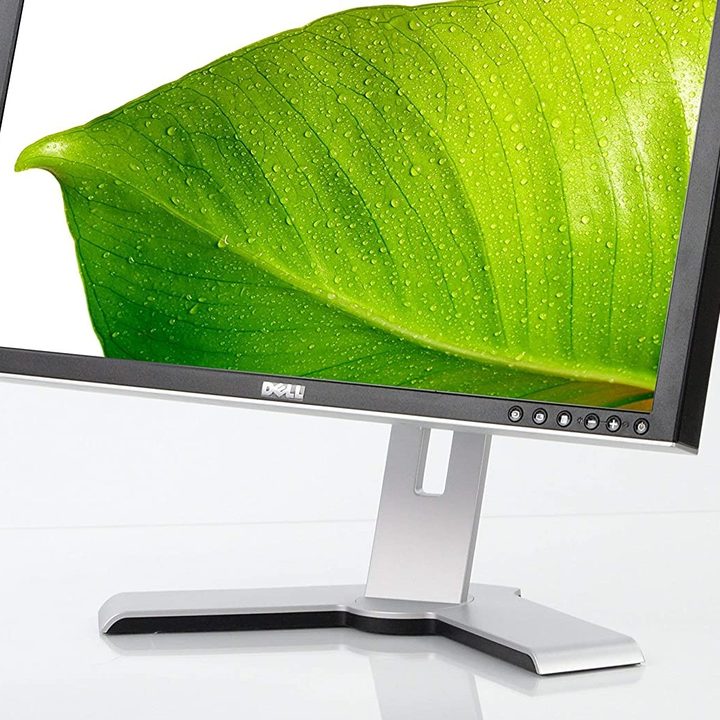
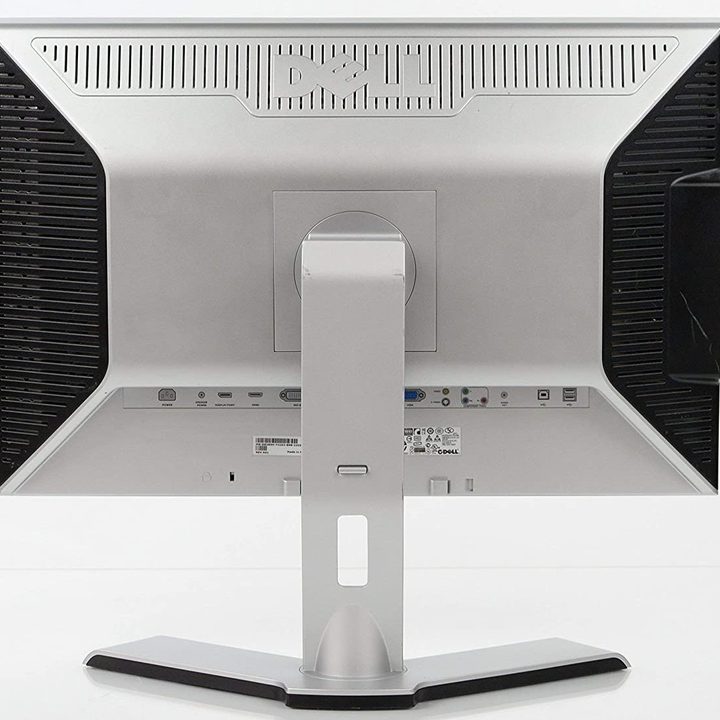
No piece of technology can survive as long as this one can, without having a firm foundation. Released in 2008, the UltraSharp 2408WFP is a 24-inch, Full HD (1920 x 1200) monitor with a (then) “fast” response time of 6ms, a 60Hz refresh rate, and a robust and versatile stand. It has HDMI, DisplayPort, VGA, S-Video, Component, and Composite inputs, it is rated for 400 cd/m2 brightness, and has a USB 2.0 hub, as well as a card reader.
None of that may seem like much now, but this was a pretty top-spec monitor for its time, and you can still see all the glowing reviews at CNet, PCMag, and PCWorld — among others. The website I bought it from even has the original product listing page still up. It’s not in stock, though, I’m afraid, though you can always ask to be notified if more come in if you’re feeling optimistic.
The $600 or so I paid for it was well worth it at the time, and considering what I’ve put it through over the years, I say I’ve had my money’s worth.
I’ve used it for everything


You can chart my use of this monitor through its various connector options. When I first started using it as my main gaming display, I was still using DVI-D connections to my then-blazing Intel Q6600 gaming PC. Over time, it transitioned to playing second fiddle to more gaming-focused main displays, but I continued to DVI-D for some time — even swapping over to a DVI-D to DisplayPort converter partway through the early 2010s to extend that cable’s usage that bit longer.
I’ve used it to play Monster Hunter Tri on the Wii, using the Composite connection, Xbox 360 games over component, used an HDMI cable to make it an external display for my wife’s gaming laptop, and most recently used it for some 3DMark runs while testing the RTX 4090.
I’ve strapped this monitor into a car seat to take it to LAN parties and picked dried paint off its screen when a spray can misbehaved during some overzealous Warhammer painting. I’ve dropped it, banged it, scratched it, it takes a while to start up, there are color band lines that appear on it at least once a week, and the power cable falls out if you so much as look at it.
But it’s still a solid display. And I still use it every day.
It’s good enough
We do a lot of reviews here at Digital Trends. A lot of monitor and display reviews, specifically. We’re lucky enough to get to see all the newest and most exciting technologies, from QD-OLED to mini-LEDs, to ultra-high refresh rates. But as exciting as all that is, as much as I want some of it for my main gaming display, for the secondary monitor? None of that really matters.
Yea, my UltraSharp 2408WFP isn’t the same size or resolution as my 27-inch main gaming display, so my mouse jumps up when I transition between monitors. It’s relatively slow, not that colorful, and it’s starting to break down in a few places. But as a secondary display for web browsing, checking emails, having a YouTube video playing while I work, and running benchmarks while I write, it’s perfectly adequate.
I, like I’m sure many of you, often get wrapped up in the idea of the next great innovation over the horizon. I’ve loved playing around with the latest GPUs and CPUs from all the major companies these parts few months. I’m desperately trying not to buy one of the new QD-OLED TVs that my colleagues have been testing.
But I don’t need to replace the old Dell. I managed to test the 4090 on it this last week. And it’s got my headphone hook glued to its top corner. I can’t get rid of that.