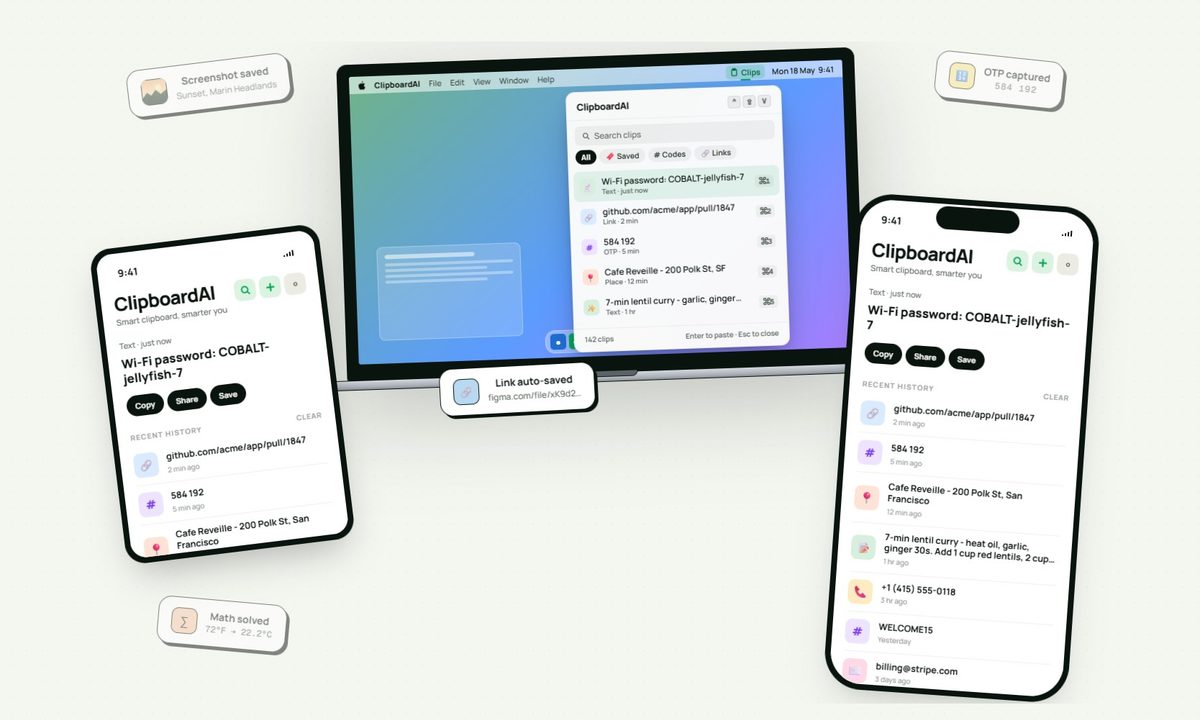
I have lost count of how many times I have copied something important, copied another thing before pasting it, and then realized the first item was gone. It is a small frustration, but it happens often enough to become annoying. I recently came across ClipboardAI, which caught my attention because it goes beyond Apple’s built-in clipboard by saving copied items into a searchable history.
Instead of replacing the last thing you copied every time, ClipboardAI keeps a searchable record of copied text, links, codes, email addresses, phone numbers, addresses, and images across iPhone, iPad, and Mac. That means an older clip does not disappear just because you copied something new.
It saves, sorts, and brings clips back quickly
ClipboardAI uses on-device AI to sort copied items into links, codes, emails, addresses, phone numbers, text, and images. Users can also create collections for material they reuse often, including research links, templates, travel details, or saved snippets.
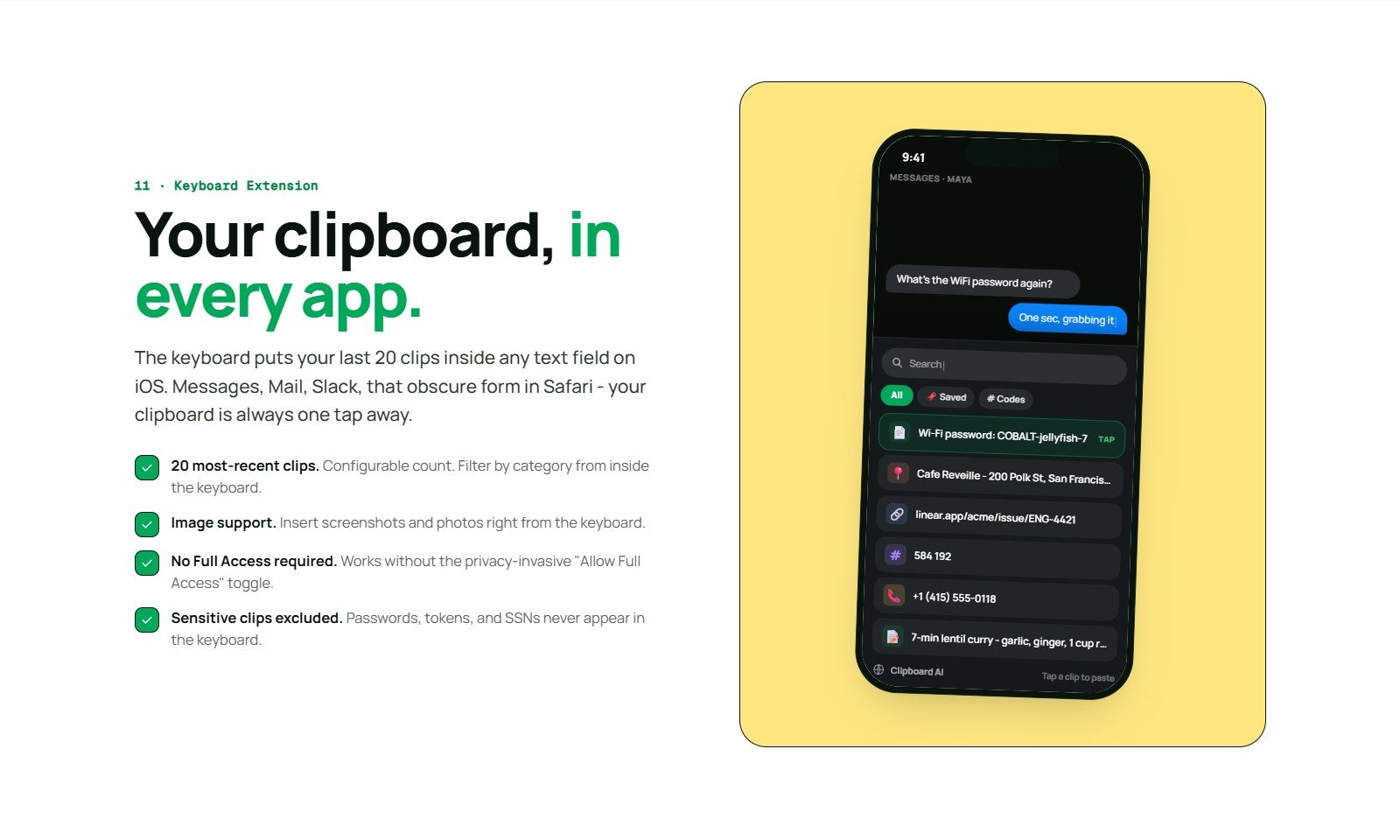
The keyboard extension is the feature that makes the app feel most useful. It can show up to 20 recent clips inside any iOS text field, so you do not have to leave Messages, Mail, Slack, Safari, or another app to paste something copied earlier.
The app can summarize copied text, generate link previews, detect languages, offer translations, turn lists into checklists, and solve math expressions or unit conversions. Some tools will be useful often, while others are more situational.
The privacy approach is important
Since clipboards often contain private information like passwords, codes, addresses, emails, phone numbers, and copied messages, privacy is a make-or-break factor for apps like this. ClipboardAI keeps AI features on-device, stores clips locally using SwiftData, and avoids analytics, ads, third-party SDKs, and developer-run servers.
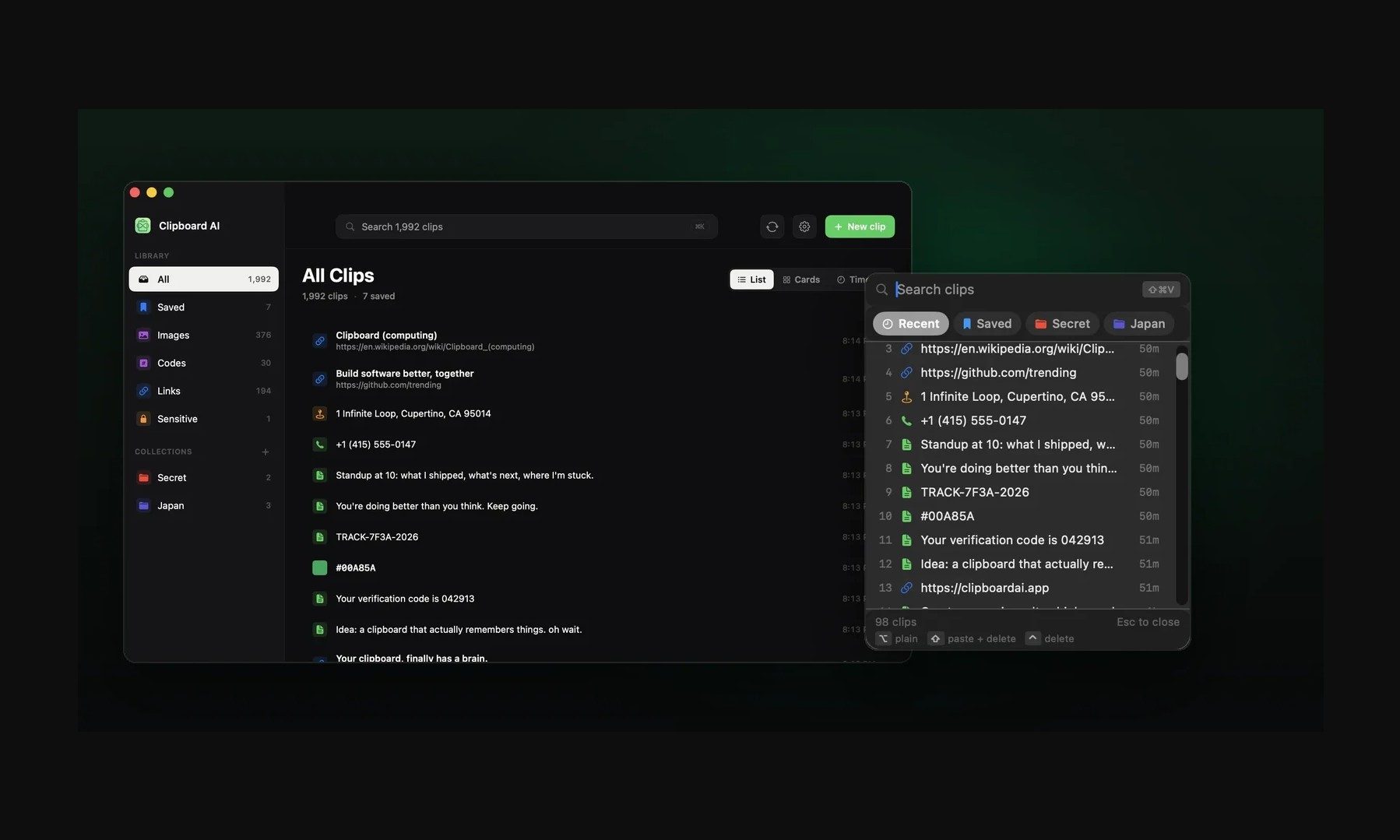
The app also treats sensitive clips differently from regular copied items. It can detect passwords, API tokens, credit card numbers, and SSNs, and then blur them by default. Passwords can disappear after 60 seconds, and sensitive clips stay out of the keyboard extension unless the user changes that setting.
Sync runs through the user’s own iCloud account and is optional. The free version includes automatic capture, categories, search, and up to 10 saved clips. Pro adds unlimited clips, iCloud sync, the keyboard extension, AI features, and collections, with a 7-day yearly trial and a $24.99 lifetime option.
Not everyone needs a clipboard manager. But if you lose copied links, codes, notes, or addresses several times a week, ClipboardAI could be a useful replacement for Apple’s built-in clipboard.