Shadow of the Colossus has now been released three times, making it one of the most enduring modern games. Even though Shadow has been out for 13 years, the PlayStation 4 remake means a whole new generation of players will get to learn firsthand what makes the game a classic. It also means that a few people might be stepping into the Forbidden Lands and have no idea what they’re doing.
To get you started on your colossus-slaying journey, we’ve put together a few tips and strategies that will help you along the way. Here’s what you need to know to be an effective giant-killer, even if you’re new to the game.
Find your control scheme
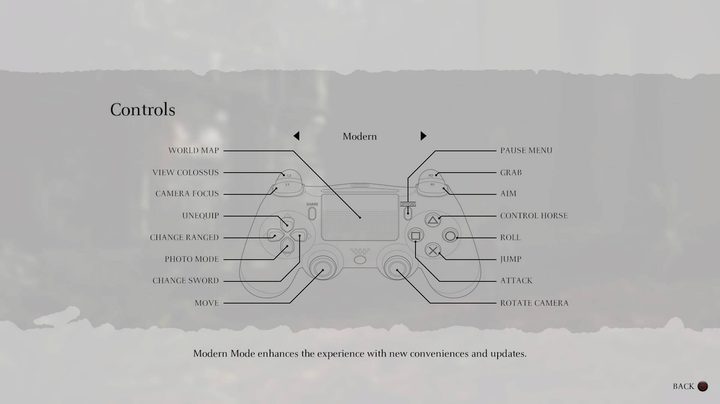
Even with the remake’s overhaul, the Shadow of the Colossus controls can take a minute to master. The game’s original controls were a bit disorienting, and while they’ve been remapped with a new “Modern” configuration, you’ll still want to spend some time getting used to them.
In particular, no matter what your control scheme, get familiar with the button that makes you grab, crouch, and walk slowly (on the Modern scheme, it defaults to R2). This is probably the most important button in the game, because you’ll use it all the time when climbing and fighting colossi. Snagging handholds when you jump, climbing the colossi’s hairy hides, and catching ledges when you start to fall is all done with this button, and you want hitting it to be second nature — otherwise, you’ll find yourself falling at key moments and starting your colossi battles basically from square one.
One other button to get good and used to is the colossus camera button (on the Modern scheme, it’s L2). You’ll often find yourself darting around colossi in battle, so you’ll need to keep an eye on them, and that’s nearly impossible to do by wrestling with the camera on the right analog stick.
Every colossus is a puzzle
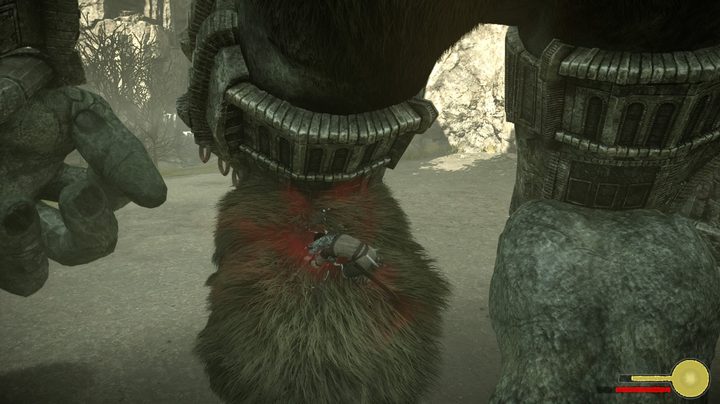
To kill each Colossus, Wander, the protagonist, must stab specific, well-marked weak points on its body using his magic sword. The stabbing isn’t especially challenging — it’s finding and reaching those spots where you’ll struggle. Fighting colossi in Shadow of the Colossus is less about being a good warrior with fast reflexes, and more about figuring how to get aboard them so you can find their weaknesses. Each colossus has different traits and features. Most don’t have an easy way for you to climb up their legs and attack them, so you’ll have to watch them to figure out how you can trip them up, knock them over, or get to higher ground so you can jump on their backs.
If you’re having trouble figuring out a colossus, you can count on Dormin, the entity in the Shrine of Worship, to give you clues. The trick is to observe the colossus, as well as your surroundings. Everything happens for a reason: Are there high points you can climb to, or underground warrens to hide inside? You will need to use them somehow to win the fight.
When in doubt, hit it with an arrow
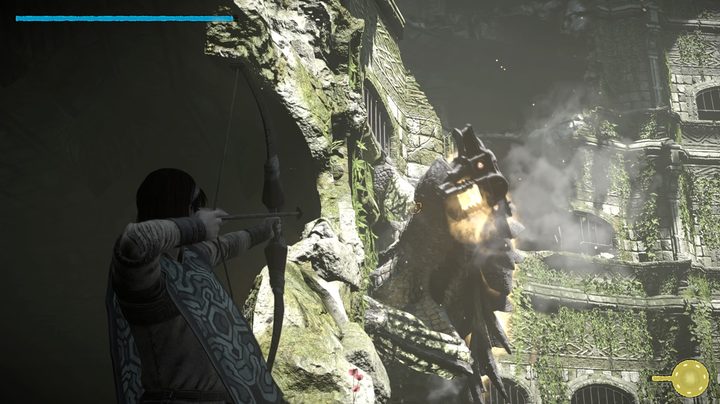
Sometimes, in order to get atop a colossus, you need to exploit its behavior to create an opening for you to hop on. Colossi have two behavior states: Their normal state, in which they just cruise around doing whatever they do, and their threatening state, in which they come after you, attack, or otherwise act differently. You can tell the difference because the colossus’ blue eyes will turn red.
If ever you’re wondering what you need to do to get a colossus to come after you or expose a weakness that you can attack, try tagging it with an arrow. That will almost always trigger its threatening state and turn its eyes red — often, the colossus’ attack against you will expose a weakness that you can attack at the same time.
Try hitting any point on the colossus that isn’t gray or brow with an arrow from your bow and see what happens. Every colossus is different and has its own quirks, so look for what stands out.
Pay attention to your stamina
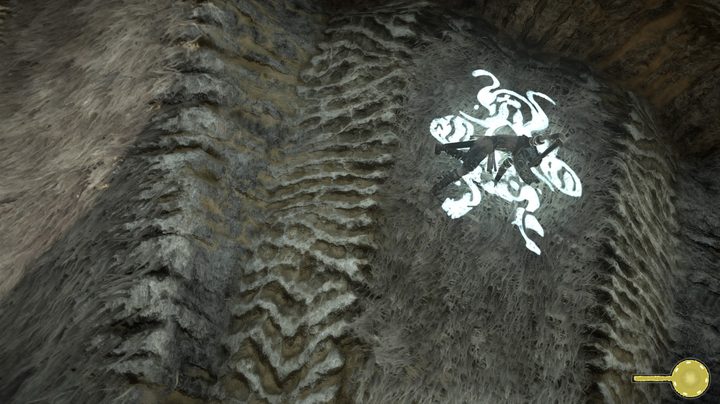
That yellow circle in the bottom-right corner of your screen is Wander’s stamina — it shows you how long he can hold on to the side of a wall or a shaking colossus before he falls off. Most of Shadow of the Colossus comes down to managing stamina.. Hold on too long and Wander will slip free. If that happens at the wrong moment, at best it means you have to climb all the way back up to where you were — and at worst, it can kill you.
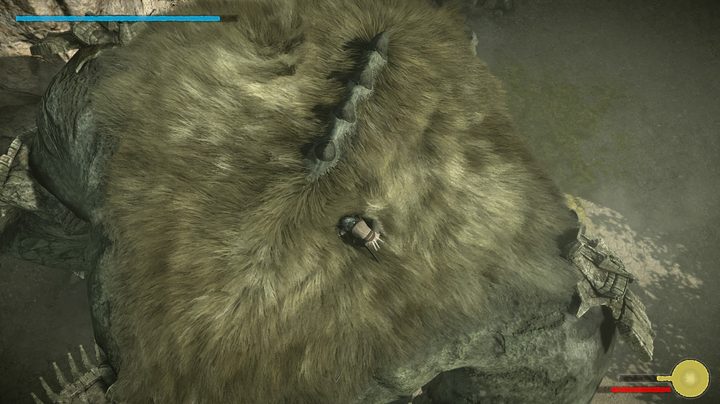
Stamina replenishes relatively quickly when Wander isn’t holding onto stuff, but you’ll need to remember to let go periodically. Keep an eye out for safe places where you can stand and avoid dying in order to replenish your stamina, and always have an exit strategy to get to them. If you wait until your stamina meter is making its alarm noise, which means you’re seconds from falling, to figure out where you’re headed to next, you’ve probably waited too long. It’s better to err on the side of keeping your stamina charged than to hang on too long hoping to get an extra hit in.
Pray at the shrines
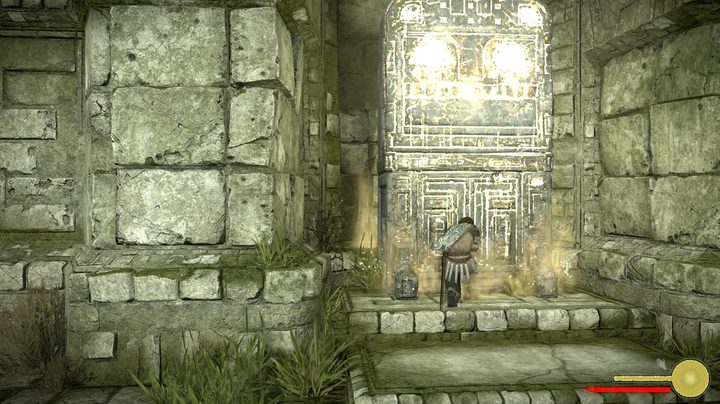
Scattered across the Shadow of the Colossus map are smaller shrines with statues set in front of them. You’ll come across them usually about halfway between the Shrine of Worship and the location of a colossus. If you stand in front of the statue, you’ll heal Wander and save your game. It’s not essential to stop at these locations, but praying at them marks them on your map, and if you should quit the game after praying, you’ll wake up at the statue rather than in the central Shrine of Worship. Plus, there’s a trophy tied to finding all of them, if you’re into that sort of thing.
Explore the map, eat fruit, kill lizards
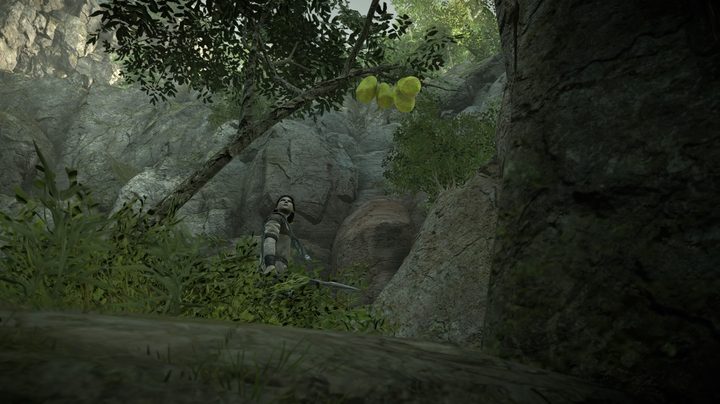
Every time you take down a colossus, you’ll gain a little more stamina for use in your next battle. That’s not the only way to make Wander stronger, however. If you spend some time exploring the Forbidden Lands outside of just heading straight to each new colossus, you can find trees with fruit hanging on them, and lizards that sometimes scurry across rocks and other objects. Both can potentially upgrade Wander if you can get them.
To increase Wander’s health, look for fruit trees. You can get fruits by shooting them down with arrows, and then picking them up by making Wander crouch with the grab button (R2 in the default controls). To add more stamina to Wander’s repertoire, you’ll want to find black lizards with white, shiny tails. These guys appear somewhat more randomly, but you’ll almost always find them near the save point shrines that pop up out in the world. The best way to take them down is to hit them with an arrow after they appear, then pick up their tails with the grab button.
Revisit your past
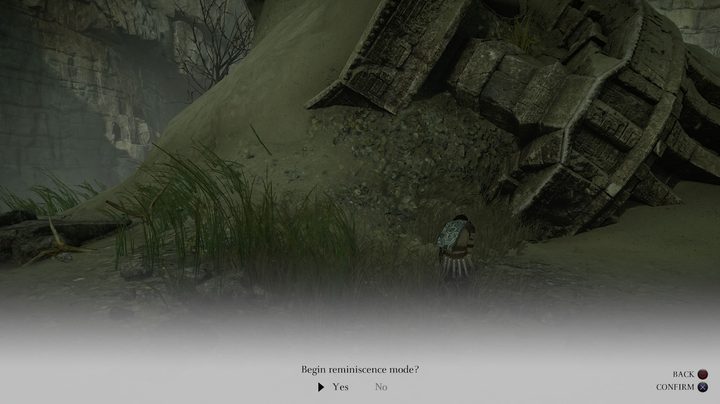
After you defeat a colossus, if you return to the place where you fought it, you’ll find its remains pretty much right where you left them. Just because you killed these colossi doesn’t mean you can’t fight them again, though. Shadow of the Colossus includes a function called “Reminiscence Mode,” which allows you to replay the fight as if it was a flashback.
To replay a colossus, return to the location where you killed it the first time and locate its body. Standing pretty close to the dead colossus, hold the grab button to make Wander kneel, just like you do at the small shrines. He’ll pray to the colossus, allowing you to activate Reminiscence and replay the fight. When you’re done, you’ll wake up right back at the colossus’ dead body where you were when you started the battle.
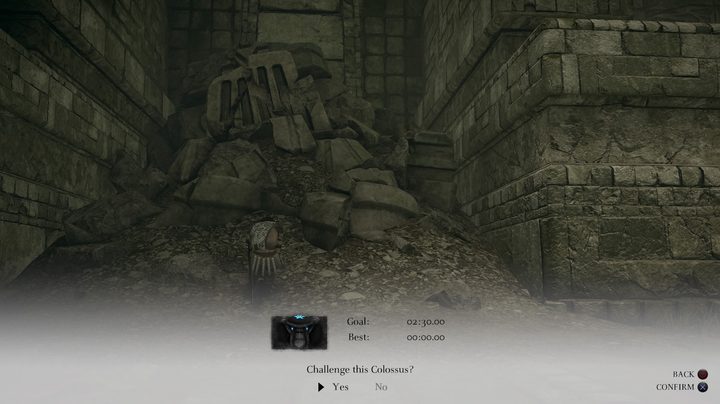
After you’ve beaten the game, you can access a “Time Attack Mode” in a similar fashion. Pray in front of the statues of the colossi in the Shrine of Worship, and you can fight them all over again, this time with the clock running. Beating colossi in Time Attack Mode on both Normal and Hard modes unlocks a bunch of special items you can equip to change Wander’s abilities and your fights with colossi.