  1. Home
  2. Smart Home
  3. News

Google Home’s latest update makes it easier for you to start using automations

With version 4.20, the app will offer pre-built automations you can start using with a tap.

Add as a preferred source on Google
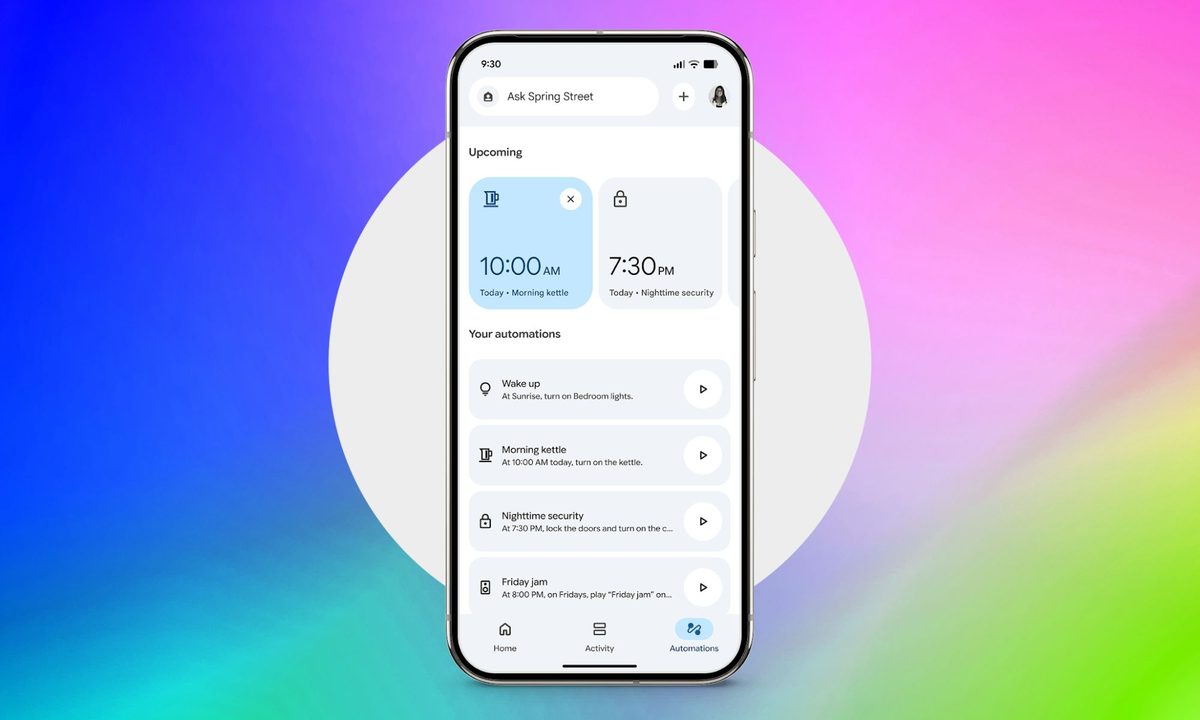
Google Home Automations tab screenshot on gradient background
Google

Google is rolling out a fresh batch of updates to Gemini for Home and the Google Home app, and the headline change is one that could get more users to try out automations. Version 4.20 of the Google Home app adds a handful of pre-built routines to the Automations tab, so instead of building one from scratch, you can pick one and turn it on with a tap.

No more starting from zero

Until now, setting up an automation in Google Home meant picking your own triggers, conditions, and actions, which can be a lot to figure out for less tech-savvy users. That barrier is one of the reasons why many Google Home users don’t touch automations at all.
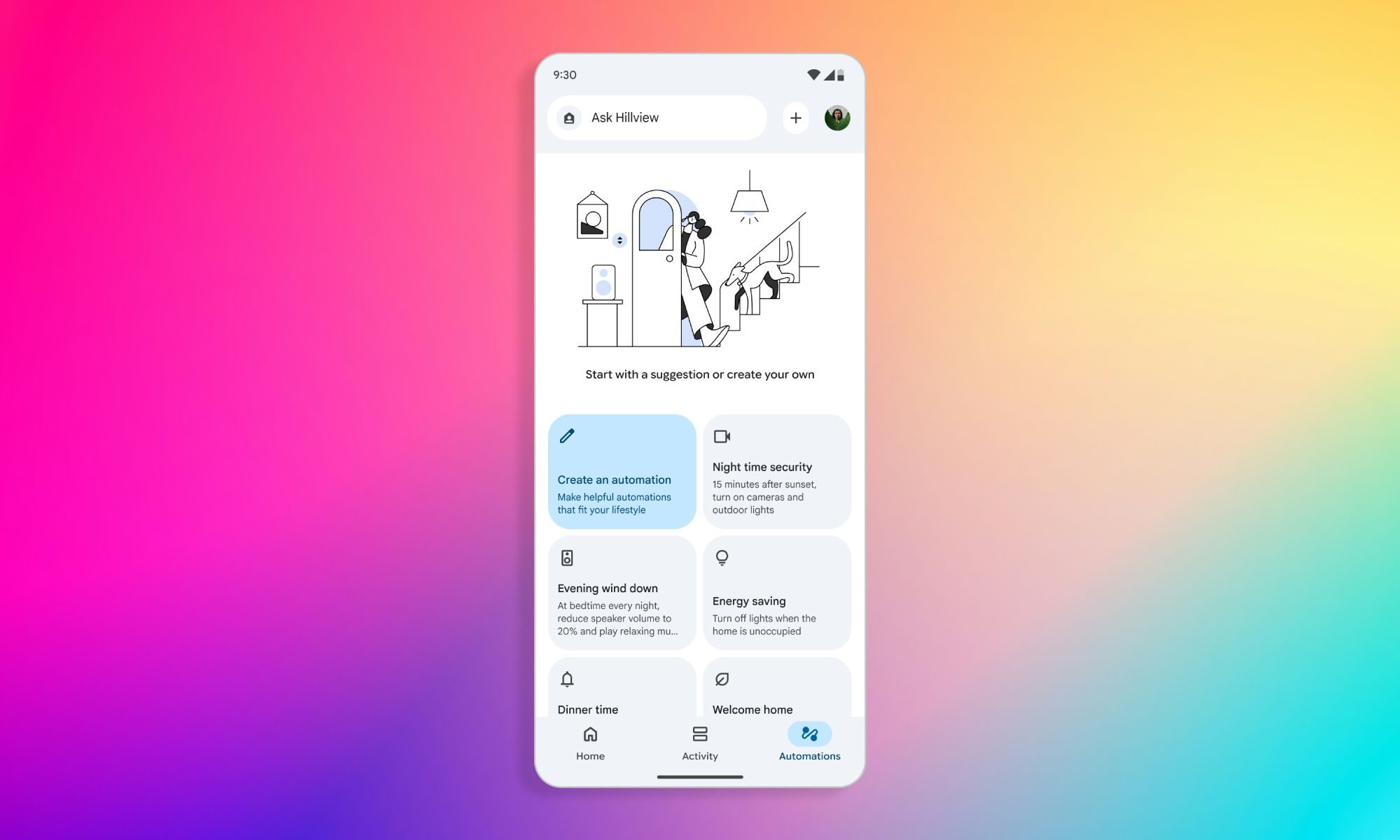
The new feature is designed to make it easier for new users to get started by offering ready-made automations for everyday situations, like home security, morning routines, or energy savings. In a support page outlining the feature, Google explains that users can even edit the suggested automations to tailor them to their needs or dismiss a suggestion if they don’t think it’s useful.

Smarter answers, smoother conversations

Along with suggested automations, Gemini for Home is also picking up some upgrades. Weather forecasts and general knowledge answers on smart displays will now show up with refreshed visual cards, giving those responses a cleaner, more polished look on screen. Sports fans get a practical improvement too, with more accurate scores, schedules, and team standings.

Recommended Videos

Gemini’s Continued Conversation feature is also getting more reliable. Google says back-to-back commands and follow-up questions should no longer get interrupted by a voice verification prompt mid-conversation. A handful of smaller features and bug fixes round out the update, including a dedicated light toggle built into the camera view for the onn Outdoor Camera Plug-in and onn Floodlight Camera Hardwired, and more reliable device setup for older Nest cameras.

Pranob Mehrotra
Pranob is a seasoned tech journalist with over eight years of experience covering consumer technology. His work has been…
Roborock brought FIFA World Cup fever to Miami and it was blast to experience
Roborock Miami Fifa World Cup event

World Cup fever has hit Miami, and I experienced a bit of it myself at the famed Aventura Mall. Robotic vacuum manufacturer Roborock hosted a pop-up event there all weekend, allowing guests to play games, win prizes, and find out about the company’s current lineup.

The installation, dubbed “Your Home, Your Stadium,” ran in collaboration with two of Roborock’s partnerships: Real Madrid and Miami Lighthouse for the Blind and Visually Impaired. So, naturally, there was plenty of Real Madrid memorabilia on display, including a shirt signed by France striker Kylian Mbappe. Real Madrid and Brazil legend Roberto Carlos was present on the last day of the installation to greet fans.

Read more
LG SIGNATURE WM9900HSA washing machine review: A washer that’s as fun as it is good looking
LG's premium washer wants you to embrace AI and digital controls on a sleek kit with a luxurious identity.
LG SIGNATURE WM9900HSA washer and drying machine.

view at LG

Quick Review

Read more
Apple Home AI features come with a hidden price tag
Your cameras just got smarter, but so did Apple's upsell game.
Apple Home

I previously covered the new Apple Home AI features revealed at WWDC 2026, which include several quality-of-life improvements, including auto-updating notifications, smarter camera search, automatic tracking and stitching of multiple videos for a single event, and higher-resolution recordings, among others. 

Like many Apple Home features, these features are only available to iCloud+ customers. However, at the event, Apple didn’t notify which plans will get access to these features. Today, we get the answer in the release notes of macOS Golden Gate beta 3, and you are not going to like it. 

Read more