1. Home
  2. Phones
  3. News

Google Health adds a faster way to share your medical history with doctors

Version 5.05 introduces Smart Health Links, a way to share medical record summaries without filling out new intake forms.

Add as a preferred source on Google
Electronics, Mobile Phone, Phone
Shikhar Mehrotra / Digital Trends

Google Health can now turn your stored medical records into a shareable link, letting you skip the tedious intake forms when you switch doctors or visit a specialist for the first time. The feature, called Smart Health Links, is rolling out with Google Health version 5.05 and is available in the US only for now.

How Smart Health Links work

Google Health has let users upload medical records since the app replaced the Fitbit app in May, giving its AI-powered Health Coach data to reference when answering health questions. Until now, that information stayed locked inside the app, visible only to the user. Version 5.05 opens it up with the Smart Health Links feature, letting users share a summary of their medical history with healthcare professionals or family.
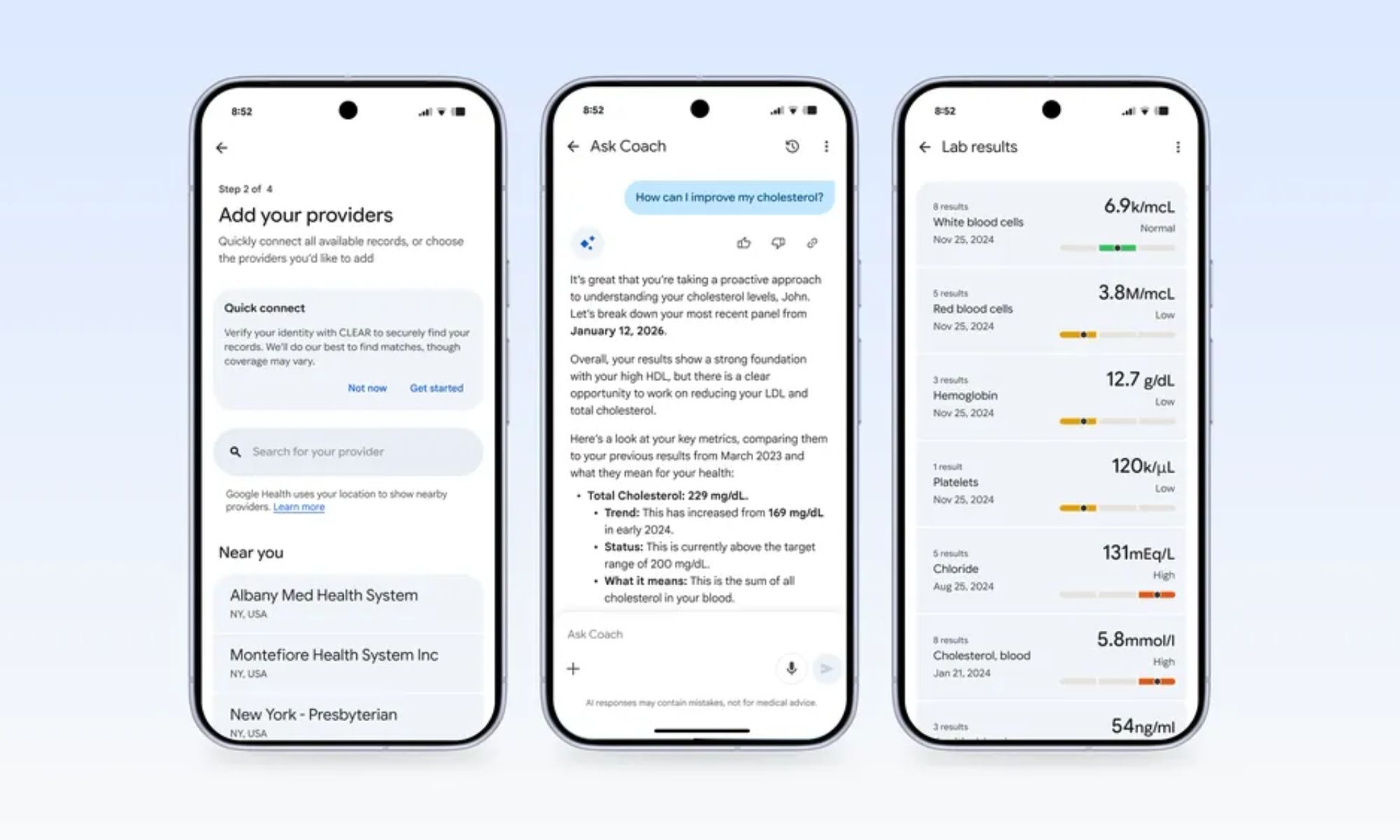
Users can create the summary by navigating to the Medical section in the Health tab, selecting the new “Shareable records” option, tapping the + button, and then selecting the data they wish to include. Users can then share the summary by tapping the three-dot button to generate a URL or QR code.

Not a substitute for your official records

Google says the Smart Health Links feature isn’t a replacement for actual medical records. While it may speed up intake at the doctor’s office or help users share a quick summary with a family member, it isn’t meant to stand in for a patient’s official chart. Nonetheless, the feature gives Google Health users in the US a faster way to hand over their history than printing out records or relaying details from memory.

Recommended Videos

Along with Smart Health Links, Google Health version 5.05 brings two-way syncing with Apple Health, letting the app’s data flow into Apple’s app for the first time instead of only pulling data in the other direction. The update is available widely on both iOS and Android.

Pranob Mehrotra
Pranob is a seasoned tech journalist with over eight years of experience covering consumer technology. His work has been…
RISION’s new pocket-sized cameras turns your phone into a nitfty thermal imaging tool
This tiny $119 camera gives your phone Predator vision
RISION Magic Pro in action

If you've ever had to look for any sort of heat leaks or hot wires, chances are that you've probably used a dedicated handheld camera. But RISION has just launched a tiny new camera tool to make the job easier (and more pocketable). It reminds me of the InfiRay we checked out a while back.

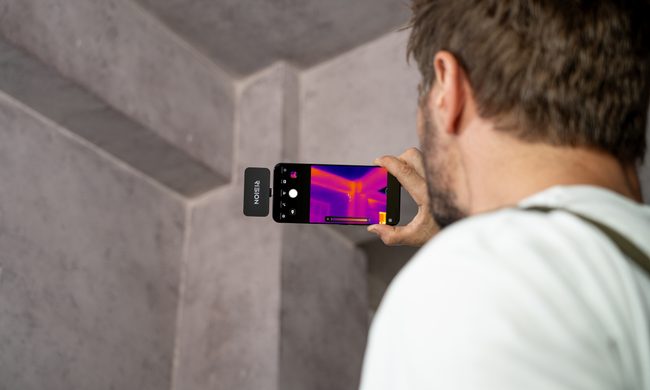
RISION has introduced the Magic and Magic Pro, two compact thermal cameras that plug directly into supported USB-C phones, tablets, and Windows computers. Each module weighs 24 grams, draws power from the connected device, and requires no separate battery. Support covers compatible iPhones, Android devices, and Windows PCs.

Read more
Samsung may finally kill the foldable crease next year, and make the screen stronger while it’s at it
The Galaxy Z Fold 9 could attack the crease from inside the glass
The Galaxy Z Fold 4's screen crease.

Samsung has spent generations refining hinges, reinforcing display layers, and promising increasingly subtle creases. But soon, it might eliminate the crease by physically carving away part of the glass where the screen folds.

Samsung Display is developing a foldable OLED cover layer known as Center-Etched Thin Glass, or CTG, alongside its suppliers. The technology selectively etches the central folding section of the ultra-thin glass, leaving that area thinner than the rest of the panel. Industry sources believe it could appear in some Galaxy Z9 foldables as early as 2027. It is also known as Hybrid UTG, since a single glass layer would carry two different thicknesses.

Read more
DuckDuckGo’s new iPhone feature stops tracking IDs from hitching a ride in shared links
Copy Clean Link removes unnecessary URL parameters before you paste a page into a message, email, or post
The DuckDuckGo logo.

DuckDuckGo has added a small iPhone feature that can stop tracking identifiers from following links into your chats, emails and social posts.

The browser’s new Copy Clean Link option strips unnecessary parameters before placing an address on the clipboard. It arrived in a July iOS update and appears when users hold the address bar. The supplied report shows it working with pages from X, Reddit and YouTube.

Read more